

If you run a small business, bookkeeping probably is not why you started.
Yet it quietly decides whether you get paid on time, survive tax season without panic, and actually know if you are making money.
The good news: bookkeeping is a skill, not a talent. Once you understand a handful of core ideas, keeping your books becomes a short weekly habit instead of a dreaded annual scramble.
This guide walks you through all of it. Plain English. No accounting degree required.
What bookkeeping actually is (and is not)
Bookkeeping is simple at its core:
Record and organize every financial transaction your business makes.
Money coming in. Money going out. What you own and owe. That is it.
Each sale, expense, payment, and transfer gets captured so you can answer the one question every owner needs to answer:
Where does my money stand right now?
Bookkeeping vs. accounting
These two terms get confused all the time. Here is the clean distinction:
- Bookkeeping = the day-to-day recording of transactions. It is the foundation.
- Accounting = the interpretation built on that foundation. Financial statements, tax filing, forecasting, and advice.
Without reliable bookkeeping, accounting is guesswork.
The one-sentence goal
Good bookkeeping means that on any given day, your records match reality: every dollar is accounted for, categorized, and ready to be turned into a report.
The core concepts (only 4 you need)
You do not need to memorize accounting theory. Four ideas will make everything else click.
1. Single-entry vs. double-entry
Single-entry is like a checkbook. One line per transaction. Simple and fine for a side hustle, but easy to make errors and hard to catch them.
Double-entry records every transaction in two places. A debit and a matching credit. The books always balance.
Example: You spend $200 on supplies. Cash goes down by $200. Supplies expense goes up by $200.
It sounds like extra work, but every modern bookkeeping tool does it for you automatically.
Why double-entry matters
Double-entry is what makes your reports trustworthy. If the books do not balance, you know immediately that something is wrong.
2. Cash vs. accrual accounting
This is about when you record money.
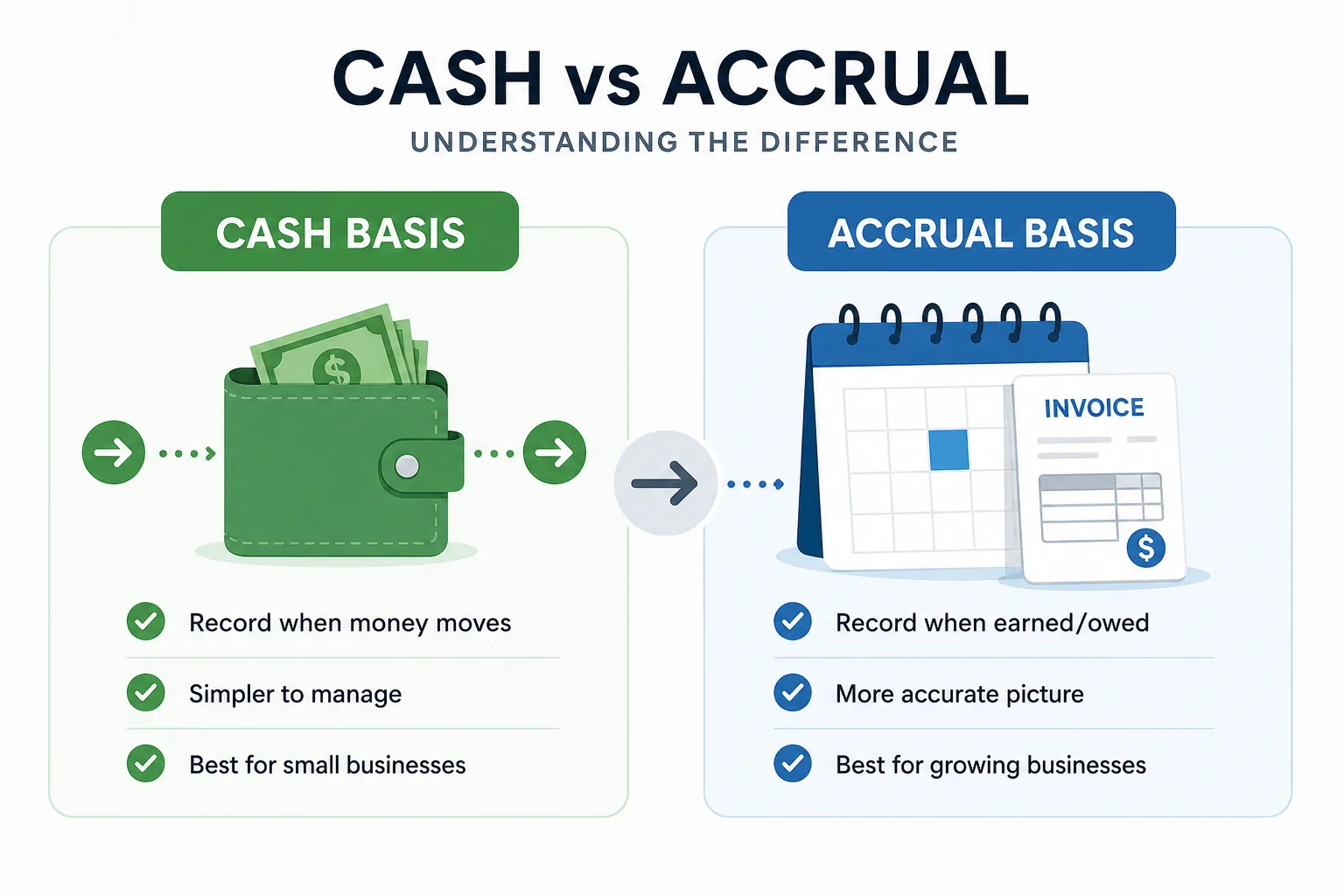
Cash basis records income when the money lands in your account and expenses when you actually pay. Simple, and great for very small businesses.
Accrual basis records income when you earn it (you sent the invoice) and expenses when you incur them (you received the bill). It gives a far more accurate picture of profitability for growing businesses.
Many businesses start on cash and move to accrual as they grow. Check what applies where you operate.
3. The chart of accounts
Your chart of accounts is the master list of "buckets" every transaction falls into.
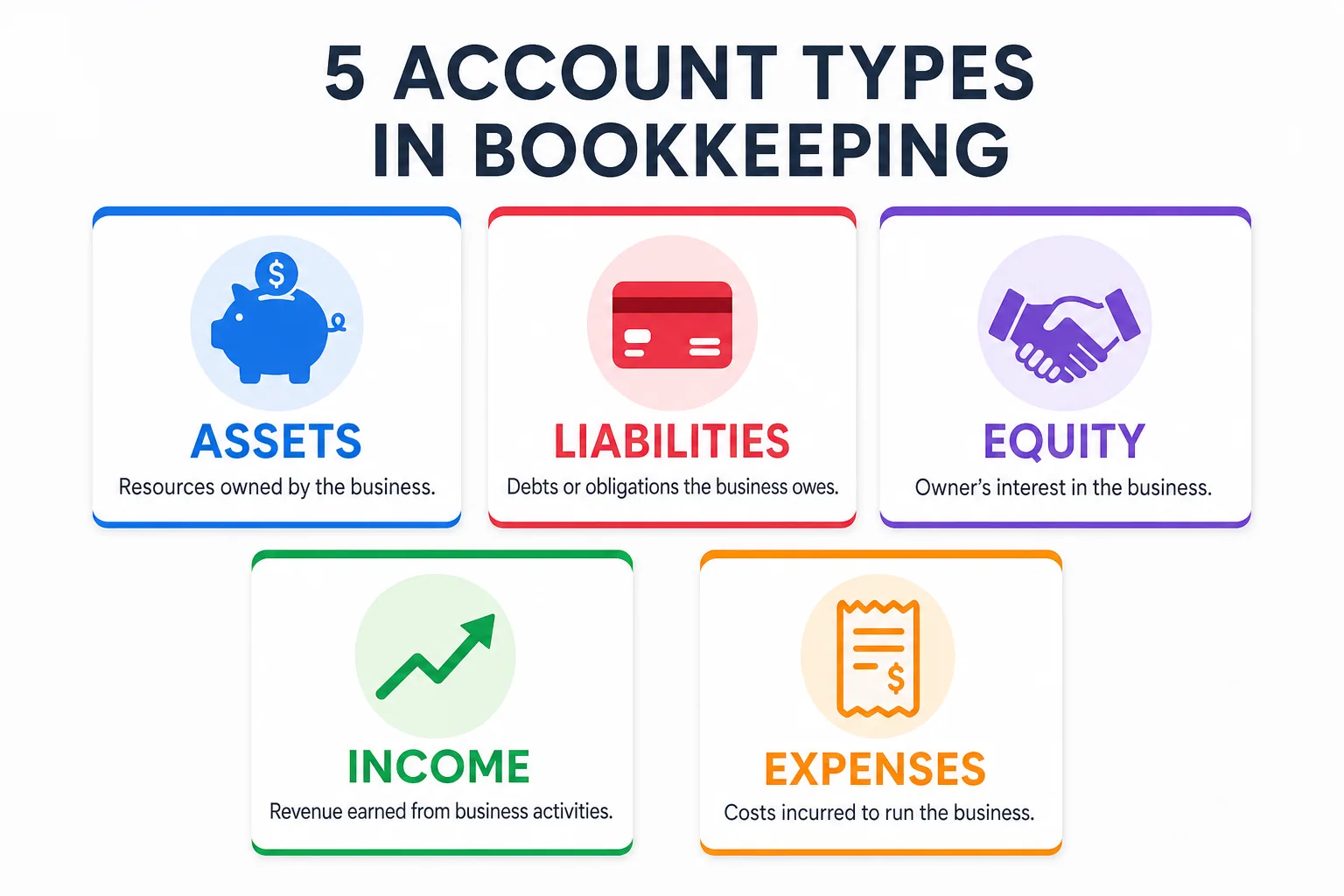
There are five families:
- Assets = what you own (bank accounts, equipment, money owed to you)
- Liabilities = what you owe (credit cards, loans, unpaid bills)
- Equity = the owner's stake (investments, retained earnings)
- Income = money you earn (sales, service revenue)
- Expenses = money you spend (rent, software, travel, supplies)
Mistake: Over-categorizing your chart of accounts
Resist the urge to create a category for everything. "Software & subscriptions" is better than fifteen separate app categories. Broad, meaningful buckets are easier to maintain and actually make your reports readable.
4. The accounting equation
Every transaction flows through this formula:
Assets = Liabilities + Equity
If both sides always balance, your books are correct. That is the entire logic behind double-entry bookkeeping.
How to set up your books (7 steps)
Here is the practical setup, start to finish. Do this once and the day-to-day becomes easy.
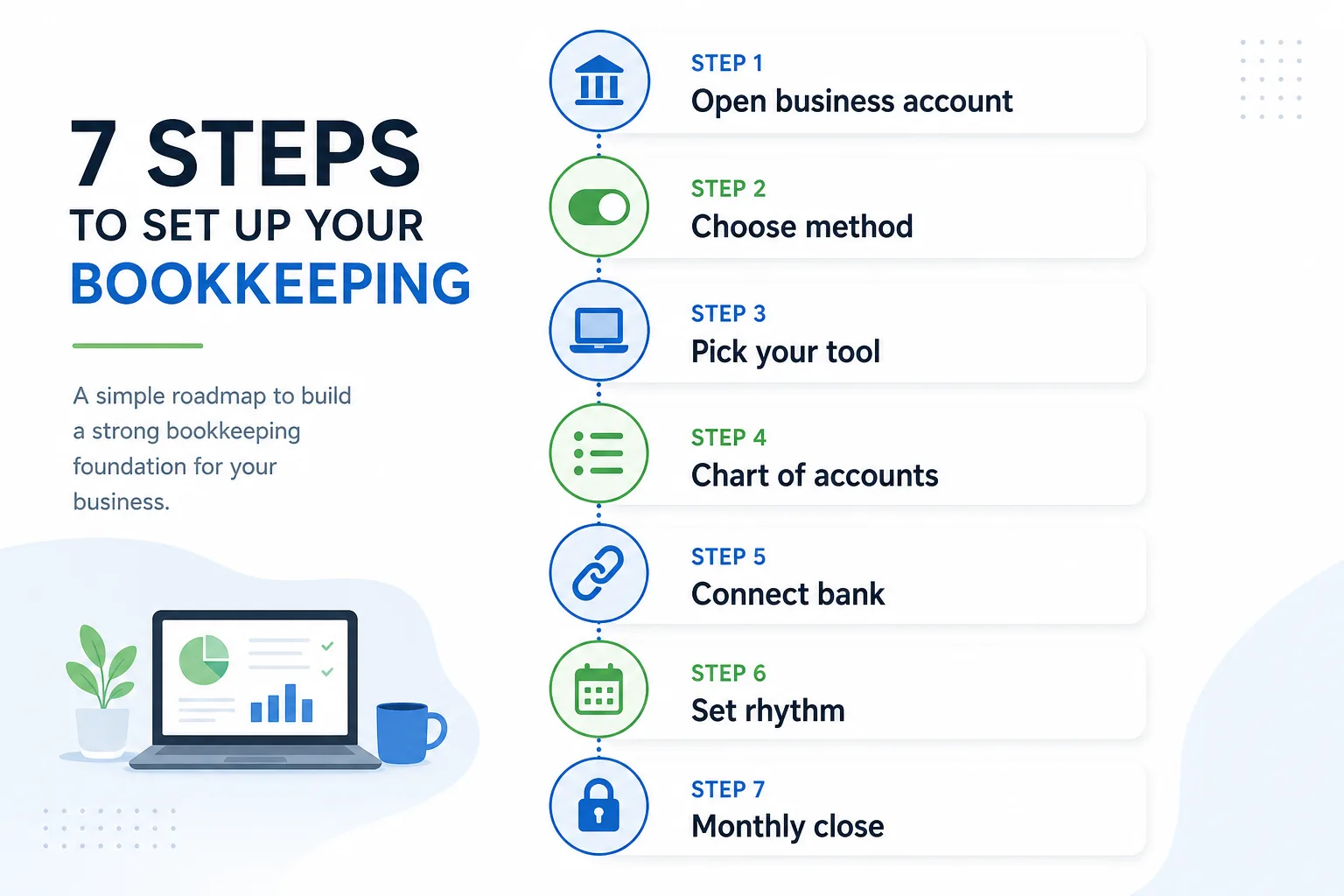
Step 1: Open a dedicated business bank account
Never mix personal and business money.
A separate account (and card) makes every transaction unambiguously a business transaction.
The mistake that costs the most
Mixing personal and business finances. It turns a 20-minute weekly task into hours of detective work and creates real problems at tax time. Separate accounts from day one.
Step 2: Choose your method
Decide cash vs. accrual now, since it shapes how you record everything. When in doubt for a small business, start with cash.
Step 3: Pick your tool
A spreadsheet works at the very start, but dedicated software pays for itself fast by automating entry and reducing errors.
Step 4: Build a simple chart of accounts
Start with the standard categories your tool suggests. Tweak only as real needs appear.
Step 5: Import your transactions regularly
Whether you upload a bank export or enter transactions manually, the key is getting them into your system consistently. Many tools let you import CSV files from your bank in seconds.
Step 6: Set a recording rhythm
Block 20 minutes each week to categorize new transactions.
Little and often beats a monthly mountain. Every time.
Step 7: Schedule a monthly close
Once a month, reconcile, review, and lock the period.
Recording and categorizing transactions
With your accounts connected, the daily work is mostly categorization.
A $54 charge from an office store becomes "Office supplies." A client's payment becomes "Sales income."
The habits that keep it clean
- Be consistent. The same vendor should land in the same category every time.
- Capture receipts as you go. Snap a photo the moment you pay. A receipt attached to its transaction is your proof if you are ever audited.
- Do not over-categorize. Fewer categories = easier reports.
- Handle owner transactions deliberately. Money you put in or take out is not income or expense. It is equity. Keep it separate.
Mistake: Letting receipts pile up
No proof, no deduction. A shoebox of paper receipts at year-end means missed deductions and audit risk. Capture them digitally the moment you pay.
Bank reconciliation, explained simply
Reconciliation is the step that makes your books trustworthy.
You compare your records against your bank statement and confirm they match, line for line.
If they do not match, you have caught a missing transaction, a duplicate, or an error. Before it becomes a problem.
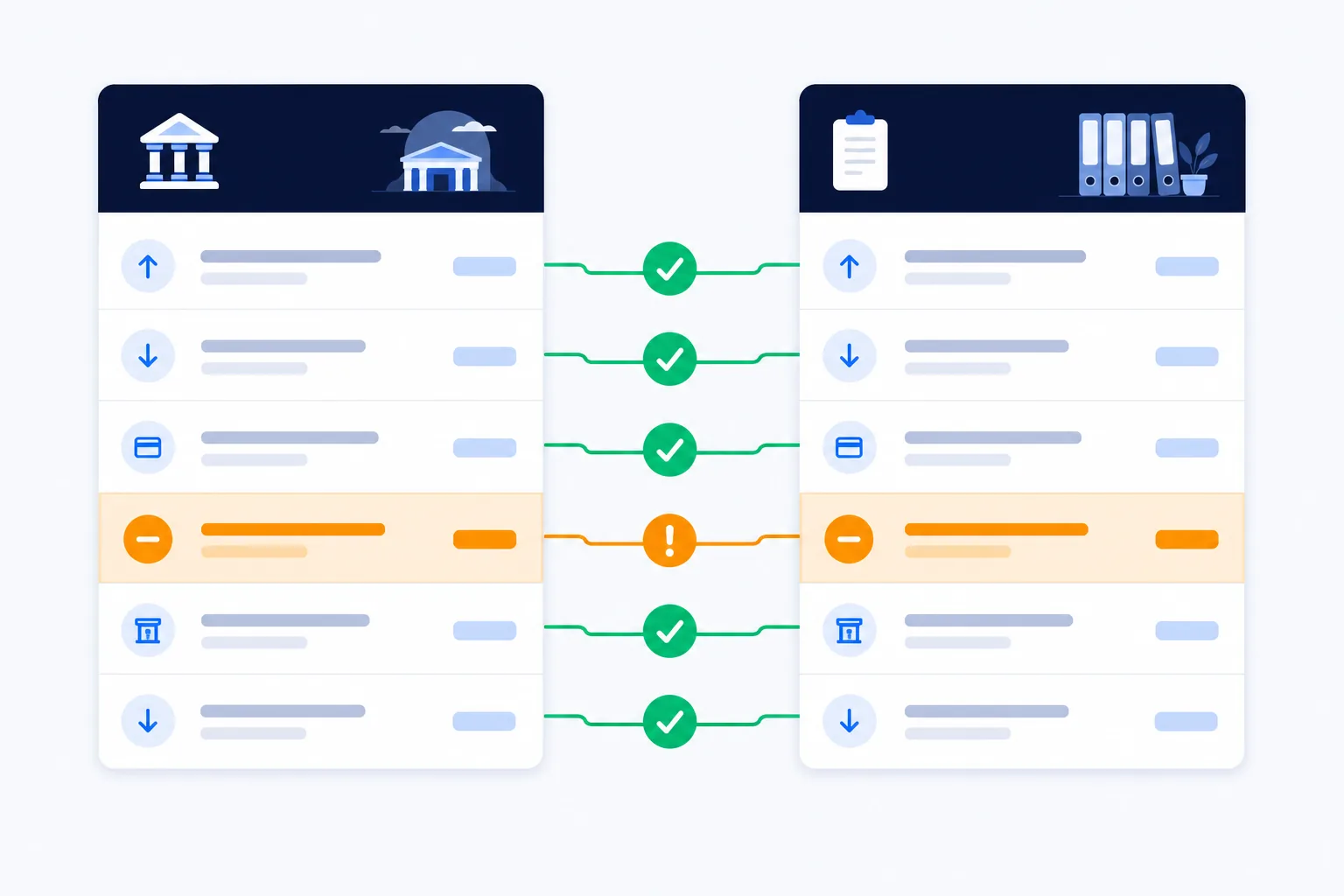
Think of it as proofreading your finances:
- Do it monthly and discrepancies are tiny and easy to fix.
- Skip it for a year and you are untangling a knot.
The goal is simple: your books should always agree with your bank.
15 minutes saves you days
Monthly reconciliation takes about 15 minutes. Fixing a year of unreconciled errors? That takes days. A missing $50 in January quietly compounds into an unexplained $600 gap by December.
The 3 reports that tell you everything
Once your transactions are recorded and reconciled, they roll up into three financial statements.
Learn to read these and you will understand your business better than most owners understand theirs.

Profit & Loss (Income Statement)
What it answers: Did I make money this month?
Shows your income minus expenses over a period. It is the report you will look at most often.
Balance Sheet
What it answers: What is my business worth right now?
A snapshot of what you own (assets), what you owe (liabilities), and what is left over (equity) at a single point in time.
Cash Flow Statement
What it answers: Can I pay the bills?
Tracks the actual movement of cash in and out.
Read this one first
If you only check one number each week, make it cash flow. More small businesses fail from running out of cash than from a lack of profit. Profit and cash are not the same thing.
Your monthly bookkeeping checklist
A repeatable monthly close keeps your books accurate and your stress low.
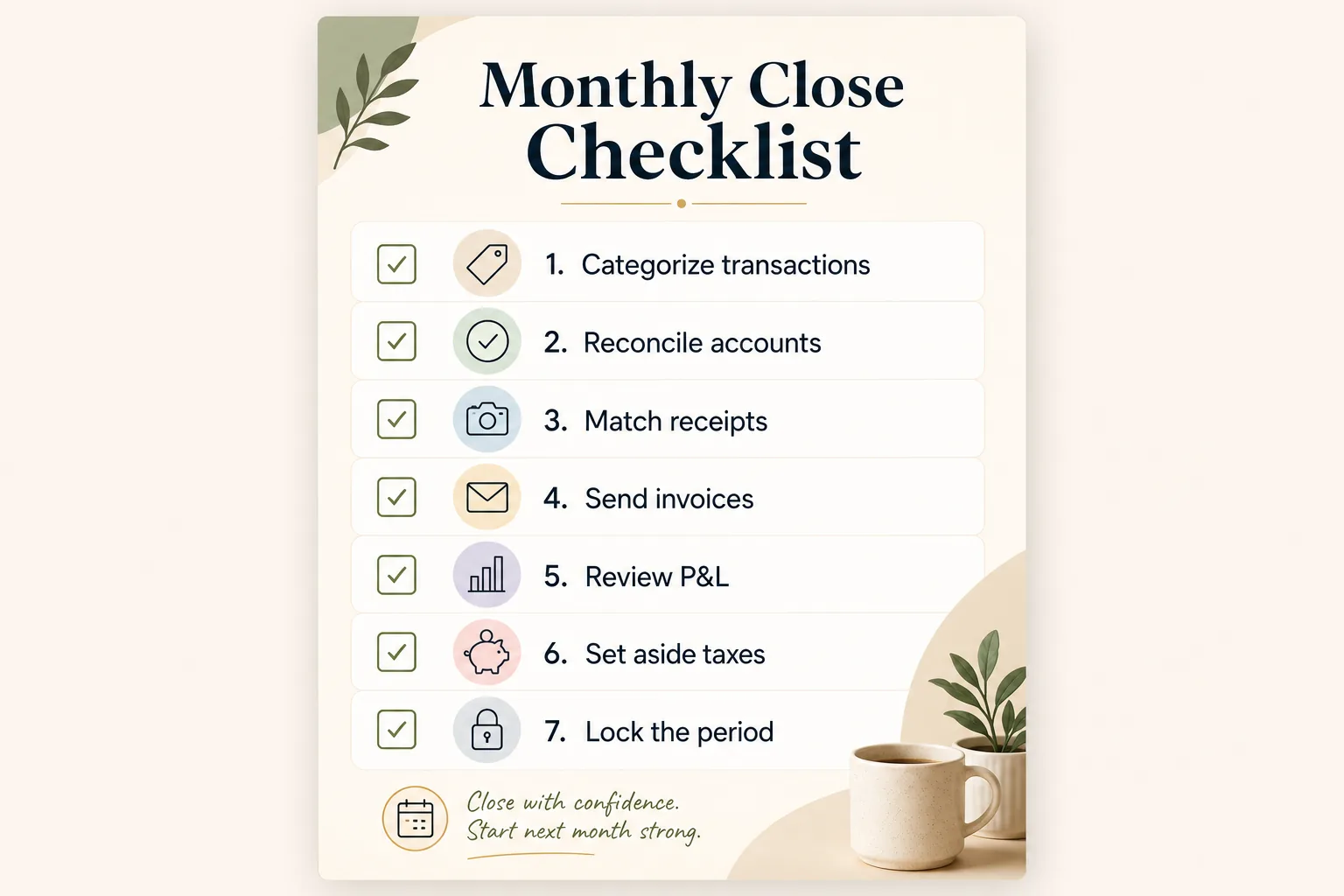
Each month, complete these seven steps:
- Categorize any remaining transactions
- Reconcile every bank and credit card account
- Record and match receipts
- Send outstanding invoices and follow up on unpaid ones
- Review your Profit & Loss and cash flow
- Set aside money for taxes
- Lock the period so the numbers cannot drift
The 20-minute weekly habit
Do steps 1-3 weekly (it takes about 20 minutes). Then the monthly close becomes a quick 30-minute review instead of a stressful catch-up.
Run this for twelve months and tax season becomes a non-event. Your books are already done.
Common bookkeeping mistakes to avoid
Here are the mistakes we see most often. Avoid these and you are already ahead of most small business owners.
Mistake: Falling behind on your books
A backlog grows scarier the longer you ignore it. What takes 20 minutes weekly takes an entire weekend quarterly. Weekly beats yearly, every time.
Forgetting to set aside tax money. Treat tax as a bill you owe all year, not a surprise in spring. A simple rule: move 25-30% of profit into a separate savings account each month.
Misclassifying contractors and employees. This has real tax consequences. A misclassified worker can trigger penalties, back taxes, and interest. Get it right from the start or ask a professional.
Ignoring the reports. Books you never read are just data entry. The whole point is the insight. Schedule 10 minutes each month to actually look at your numbers and ask: what changed? Why?
Not backing up your records. Digital tools crash. Computers die. Make sure your financial data is backed up automatically, ideally in the cloud.
DIY, bookkeeper, or software?
There is no single right answer. It depends on your time, budget, and complexity.
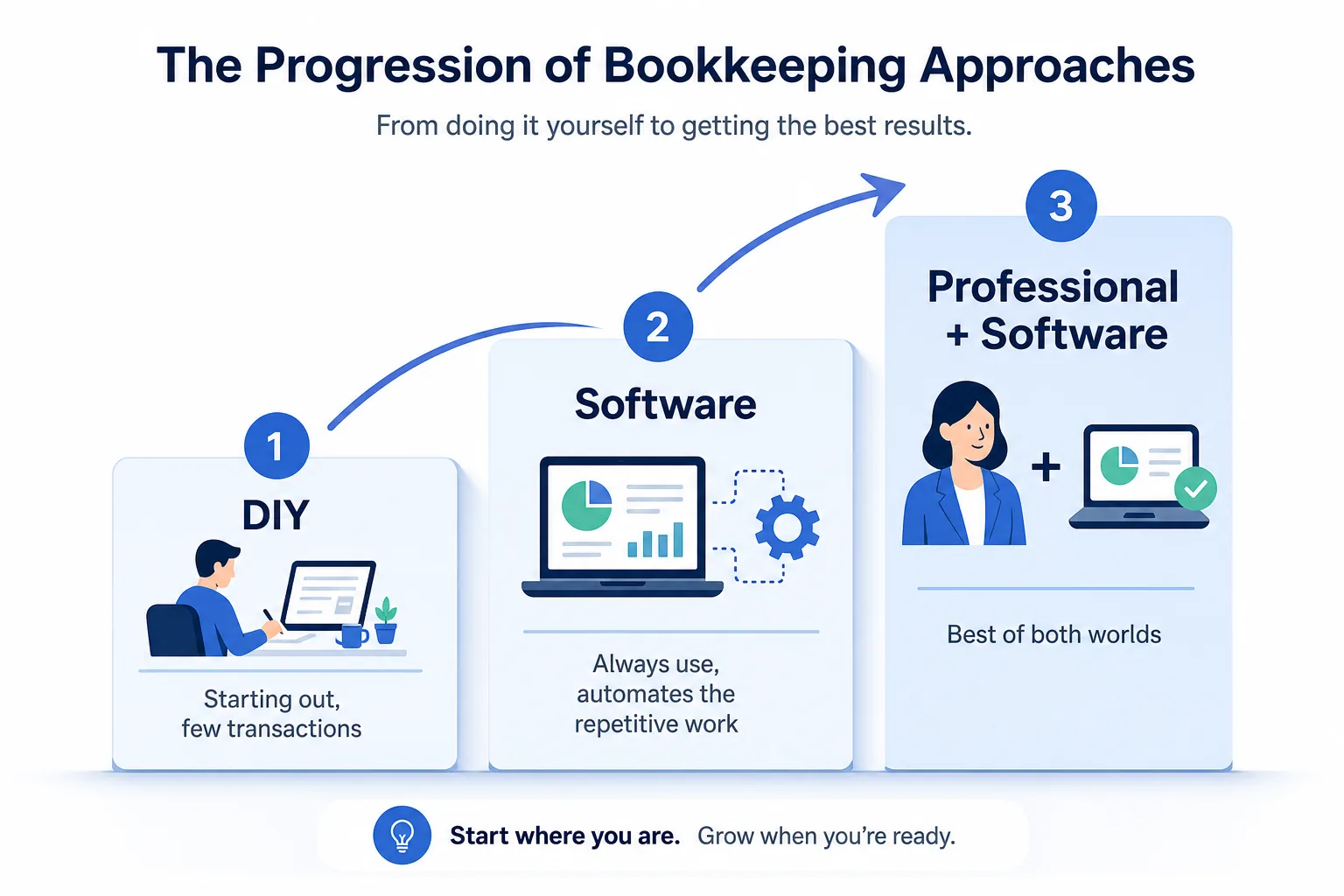
Do it yourself when you are just starting, transactions are few, and you want to learn your numbers intimately. Move on when it takes more than 2 hours a week.
Hire a bookkeeper or accountant when complexity grows: payroll, inventory, multiple entities. Or when your time is simply worth more spent elsewhere.
Use software in every case. Even with a bookkeeper, good tools cut the cost and effort dramatically by automating the repetitive work.
The modern answer for many owners: software handles the heavy lifting day to day, and a professional reviews things periodically.
How AI is changing bookkeeping
For most of history, bookkeeping meant manual entry. Typing transactions. Matching receipts. Building reports by hand.
That is the part AI is now genuinely good at.
Instead of opening accounting software and clicking through menus, you describe what you need in plain language:
- "Record this receipt"
- "Invoice Acme $2,400 for March"
- "How was cash flow last month?"
And it gets done. With the work shown to you for approval before anything is saved.
This is exactly what we built GeniusBooks to do. It connects to your existing accounting platform, automates expense tracking and reporting, and keeps you in control.
Nothing posts to your books until you confirm. Your data stays protected.
The point is not to skip understanding your books
It is to stop doing the tedious data entry. The concepts in this guide still matter. They are how you read your numbers and make good decisions. AI just handles the keystrokes.
Start where you are
You do not need to implement all of this overnight.
Start with these four things:
- Open a dedicated bank account
- Pick a tool
- Set up a simple chart of accounts
- Commit to a 20-minute weekly habit
That alone puts you ahead of most small businesses.
Bookkeeping rewards consistency far more than intensity. Keep your records current, reconcile every month, and actually read your reports.
Your books will stop being a source of dread and start being one of your most useful business tools.